Record Payments, Deposits and Credit Memos
Record every payment your client makes. Deposits and credit memos can also be applied to an invoice.
Record a payment
Click Record Payment
On the Invoices page, click Record Payment on the invoice's row.

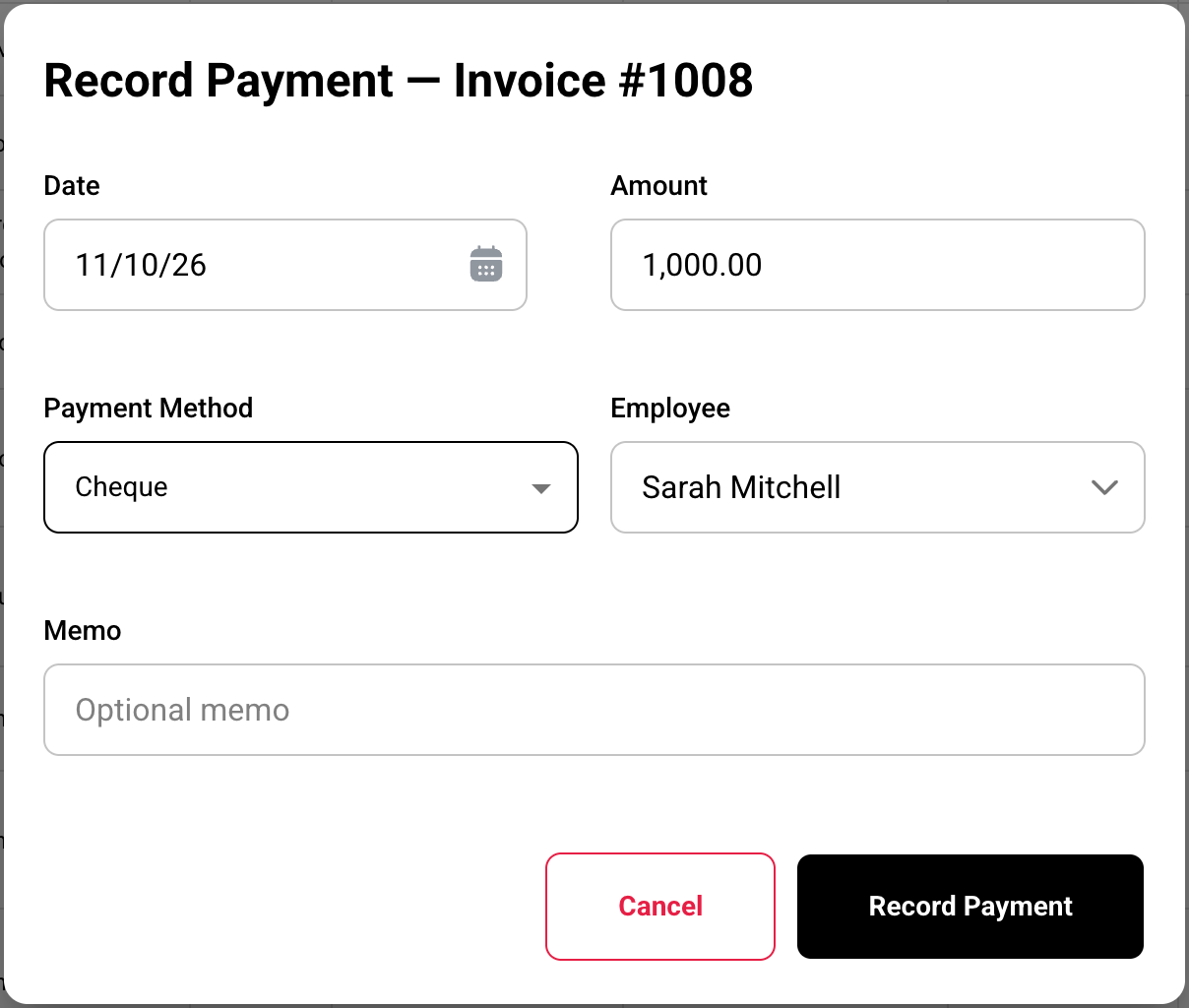
Fill in the payment
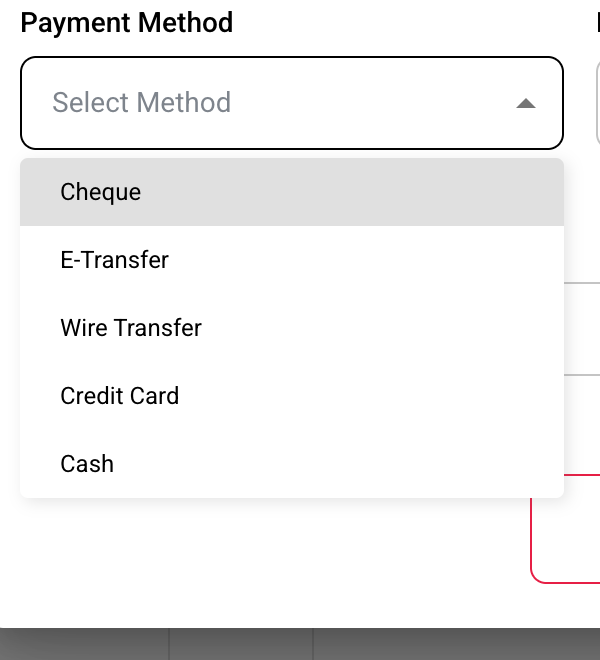
The Amount starts at what's owing. Pick the Payment Method, then click Record Payment.
Check the status
The status updates right away.
Result: part paid

Result: fully paid

Result: the invoice shows Payment and Balance Due
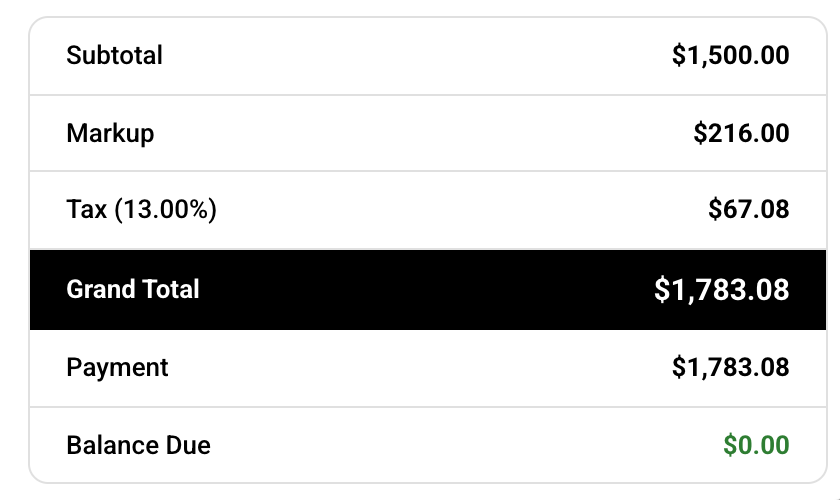
As an example, an invoice of $1,783.08:
| Money on the invoice | Paid | Status |
|---|---|---|
| Nothing yet | $0.00 | Released |
| $1,000.00 payment | $1,000.00 | Released · Partially Paid |
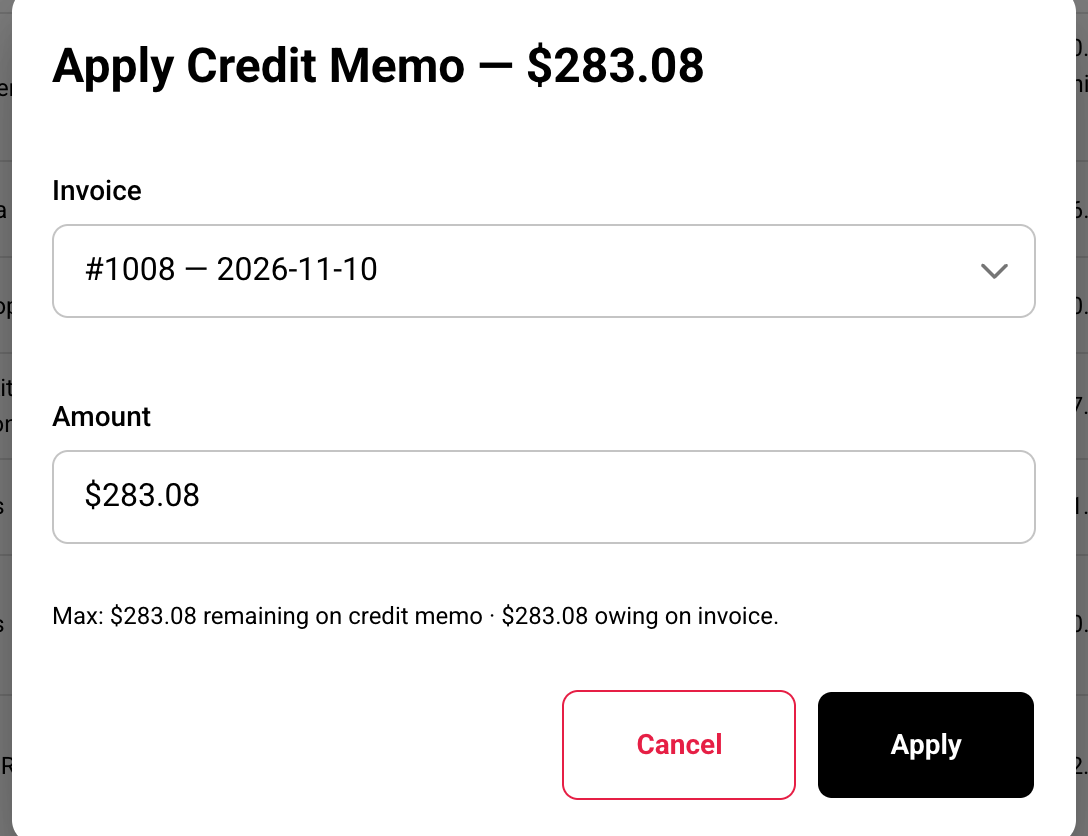
| + $500.00 deposit + $283.08 credit memo | $1,783.08 | Released · Paid |
Deposits
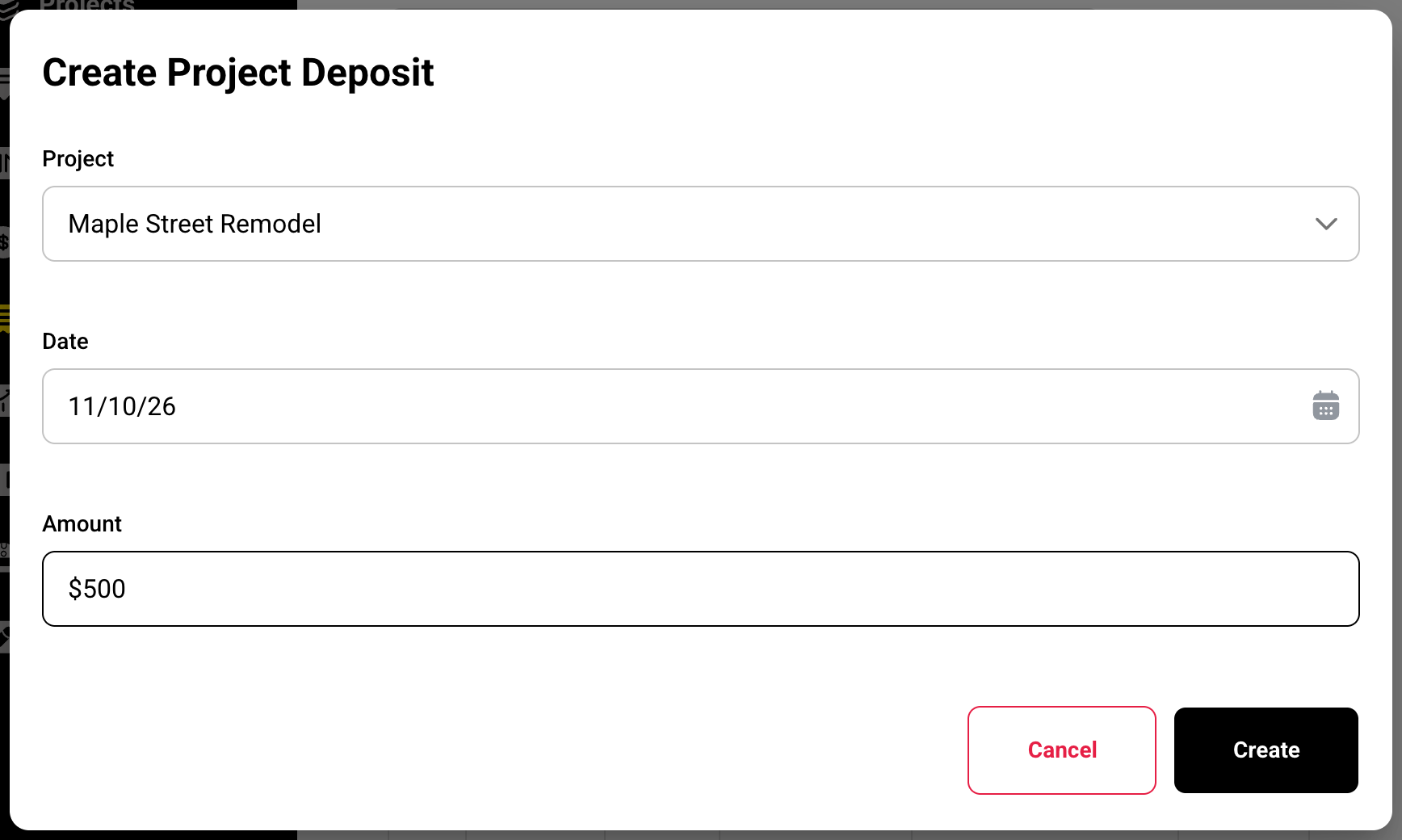
Record the deposit
Click Add, then Project Deposit. Pick the Project, Date and Amount, and click Create.
Apply it to an invoice
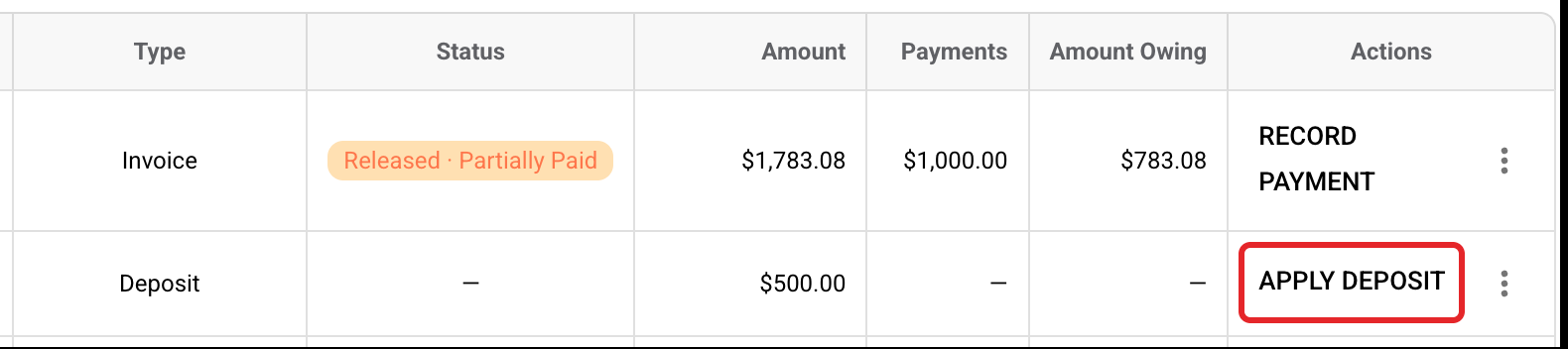
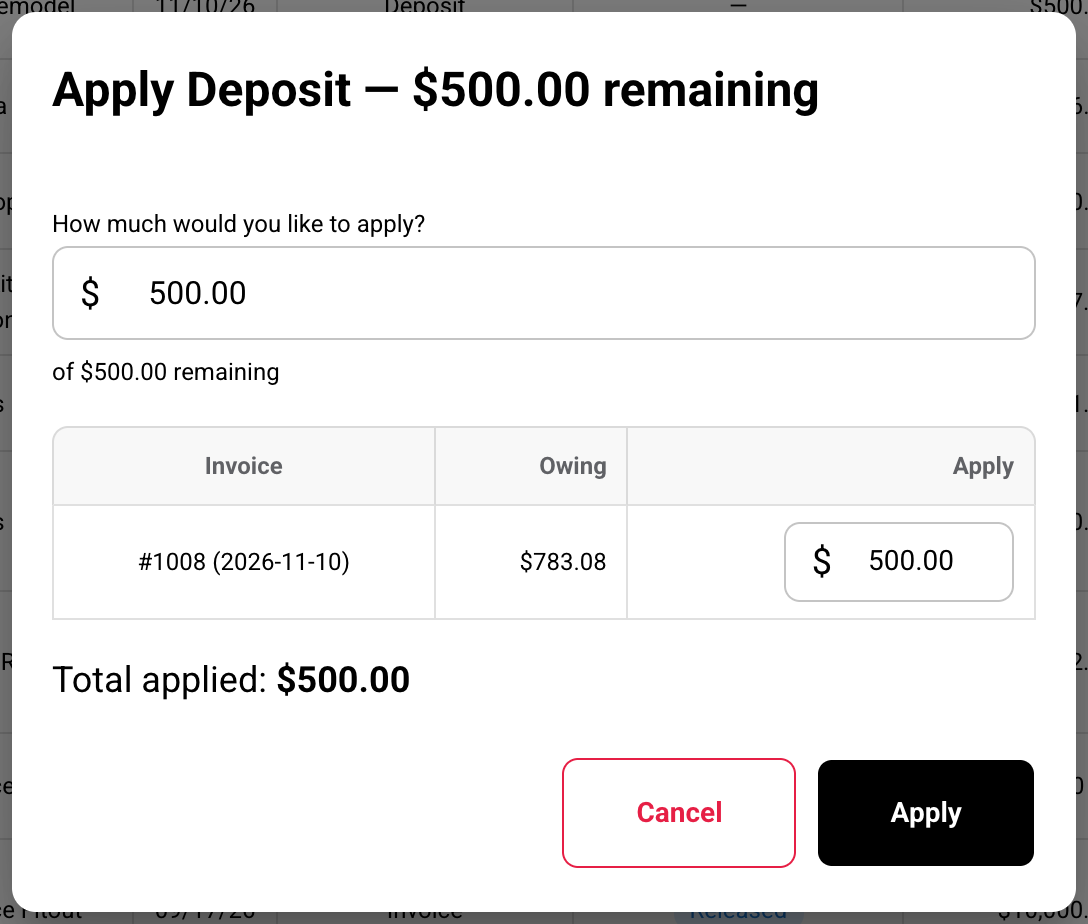
Click Apply Deposit on the deposit's row. Buildwise fills the oldest invoice first. Change the amounts if you need to, and click Apply.
Credit memos
Make the credit memo
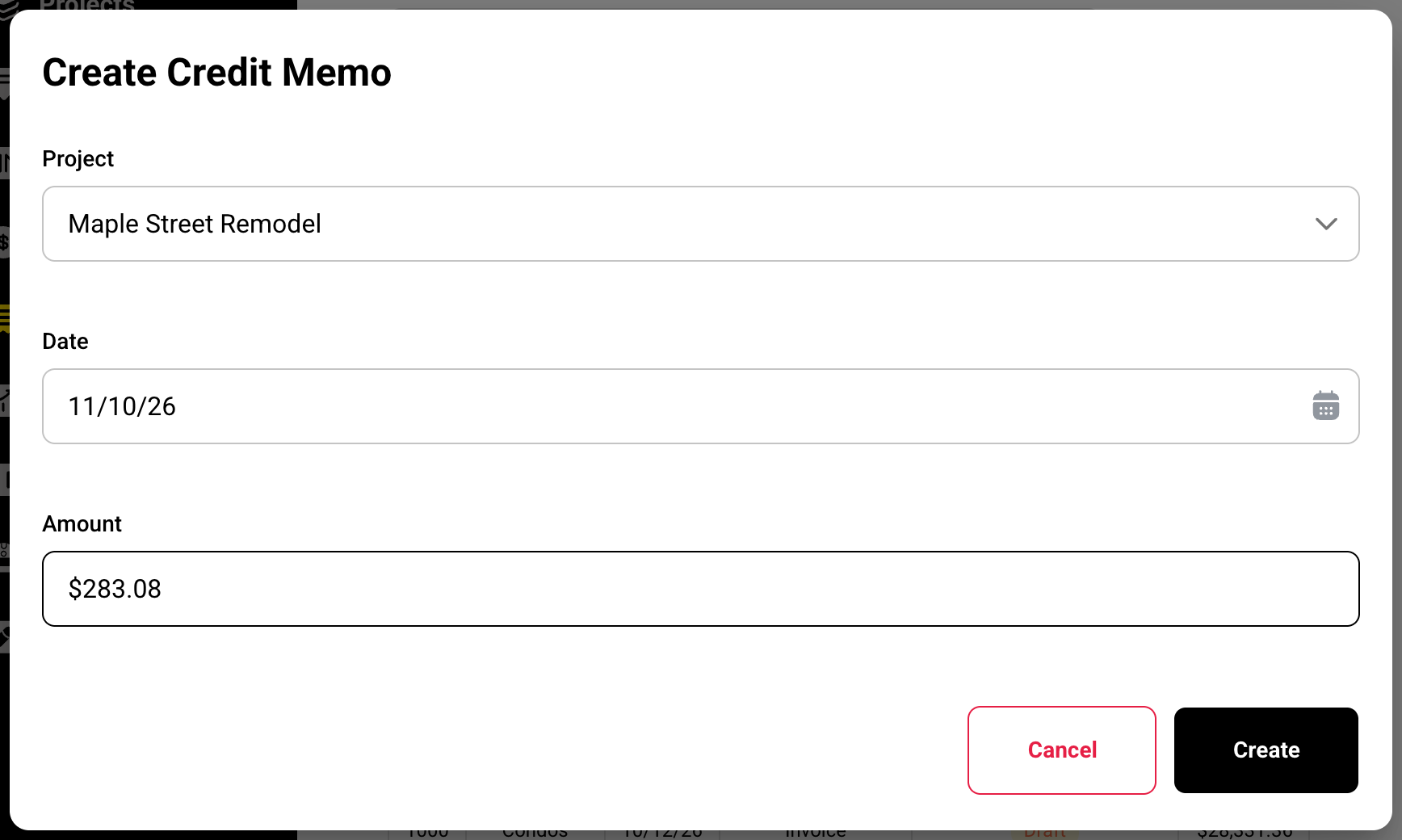
Click Add, then Credit Memo. Pick the Project, Date and Amount, and click Create.
Apply it to an invoice
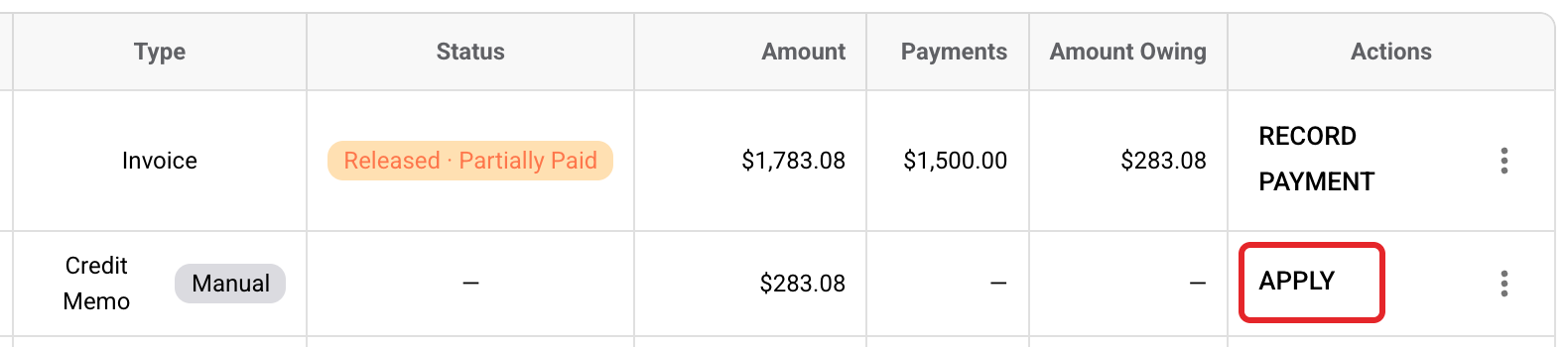
Click Apply on the credit memo's row, pick the invoice and click Apply.
Remove a payment
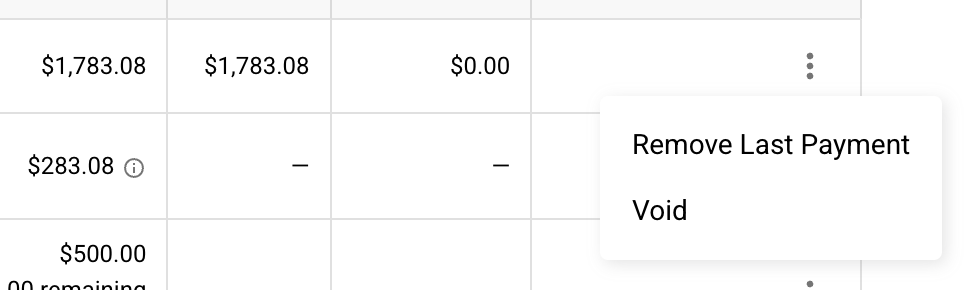
Open the menu on the invoice's row and click Remove Last Payment. It removes the payment with the earliest date.
Overpaid?
If a payment is more than what's owing, the extra becomes a credit memo. Buildwise applies it to the oldest released invoice on the project that still owes money, and tells you which one.
A deposit isn't a payment yet
A deposit or credit memo counts only once it's applied to an invoice. Deleting one takes it off every invoice it was applied to.
Payment methods
Cheque, E-Transfer, Wire Transfer, Credit Card or Cash. Clients can't pay online, so every payment is recorded by you.
If you have any questions or need support:
💬 Click the beacon on this page to chat with us
📩 Click the beacon on this page to email us