Why Didn't My Client Get an Email From Buildwise?
If a client says they didn't get an email from Buildwise, it almost always comes down to one of three things. Check them in this order.
What to check
A space or extra comma in the address
Buildwise removes spaces before and after each address for you. If the pop-up shows Emails is invalid, look for a space inside the address or an extra comma, fix it and send again.
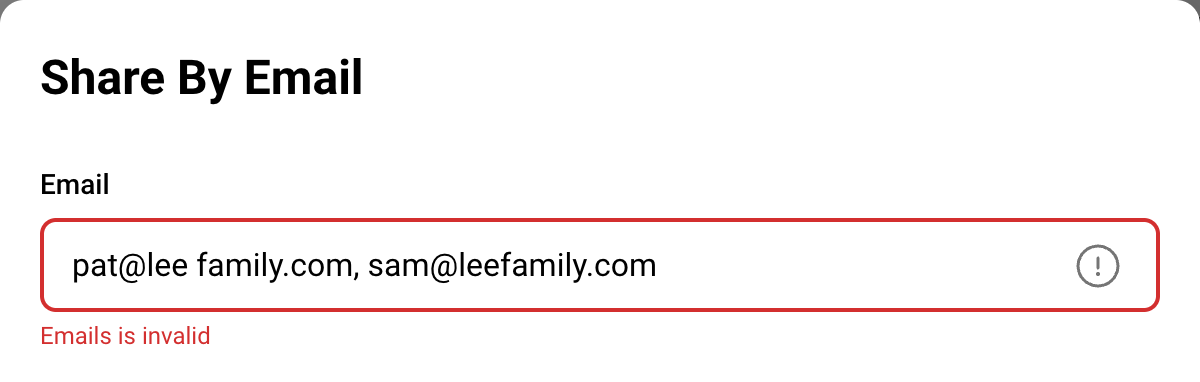
A wrong email address
Check the spelling of the address letter by letter. One wrong letter sends the email somewhere else.
The email landed in spam
Ask your client to check their spam folder. If the email is there, have them click Not Spam. That tells their email provider to trust emails from Buildwise from now on.
Ask them to search their inbox and spam for your company name. Buildwise emails show your company name as the sender, from no-reply@buildwiseapp.com. When your client clicks Reply, it goes to the team member who sent it.
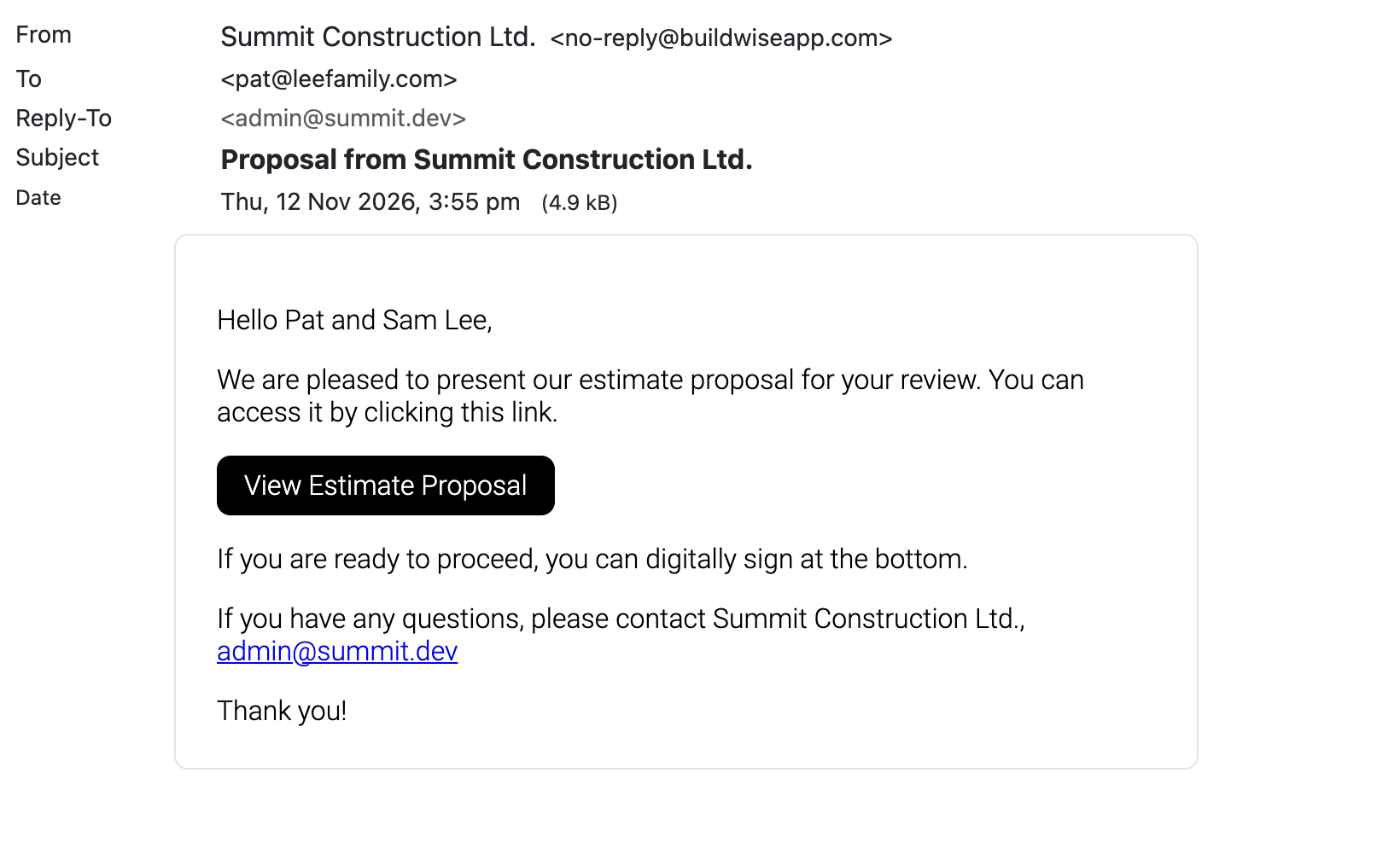
Why do emails land in spam?
Buildwise sends emails through Mailgun, a trusted sending service that most software uses. Even so, email providers like Gmail decide on their own what goes to spam, and some of their reasons are out of anyone's control. That's why the Not Spam click matters.
We check our email sending logs every day, and we reach out to you if we see an error.
To see every email your clients get and what each one is called, see Emails Your Clients Get From Buildwise.
💬 Have a question? Click the round message button in the bottom-right corner of this page, then click Send a message. We usually reply within a few hours.