Fix a Failed QuickBooks Sync
When an expense doesn't reach QuickBooks, it's almost always a box that's blank, or an item that's inactive in QuickBooks. Here's how to find it and send the expense again.
Here are the steps to follow:
Fill in any red box
After you click Save & Sync, a box that still needs something turns red. Fill it in and click Save & Sync again.
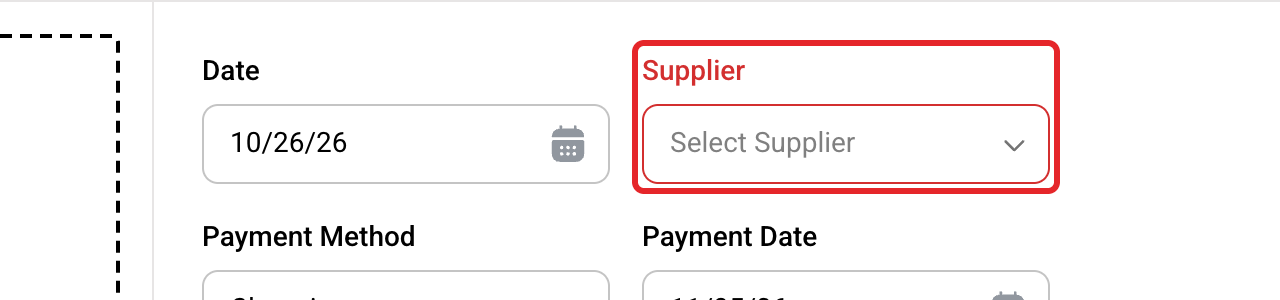
Check for inactive items
If nothing happens when you click Save & Sync, check each QuickBooks box on every line. A name with (Inactive) after it is inactive in QuickBooks. Make it active again in QuickBooks, or pick another one.
Sync your lists
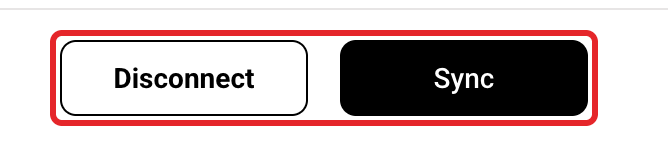
Added something in QuickBooks, or made it active again? Click Integrations, then Sync, then pick it again on the expense.
Read the red message
Other problems show a red message at the top for 10 seconds. The table below says what each one means.
Click Save & Sync again
The icon turns green when it works.
What each message means
| Message | What to do |
|---|---|
| Unable to connect to QuickBooks. Try to re-connect. | Click Reconnect on the Integrations page. Sign in to the same QuickBooks company. |
| Unable to authorize on QuickBooks. Try to re-connect. | Same as above. |
| Unable to verify QuickBooks setup. Try to re-connect. | Same as above. |
| Labor expenses cannot be synced. | Labor stays in Buildwise. Nothing to fix. |
| This expense is synced. | It's already in QuickBooks. Don't send it again. |
| Unexpected error during the expense sync. | Check that every line, split lines too, has a QuickBooks Category and Tax Code. If it still fails, contact us. |
| Unexpected error during the expense payment sync. | The bill is in QuickBooks. Add the payment in QuickBooks yourself. Don't send it again. |
| Unexpected error during the expense attachments sync. | The bill is in QuickBooks. Attach the receipt in QuickBooks yourself. Don't send it again. |
| Any other message | It's QuickBooks' own reason. Fix it in QuickBooks, then try again. |
Feature Not Supported
This means your QuickBooks plan doesn't allow it. See QBO Sync Error: Feature Not Supported.
Stuck on blue
If the icon stays blue on Syncing in Progress, check whether the bill is already in QuickBooks before you do anything else, then contact us.
If you have any questions or need support:
💬 Click the beacon on this page to chat with us
📩 Click the beacon on this page to email us