Create an Invoice
Make invoices from the Invoices page. On a Cost Plus project you bill the expenses you pick. On a Fixed Cost project you bill part of each cost group's contract.
Here are the steps to follow:
Start a new invoice
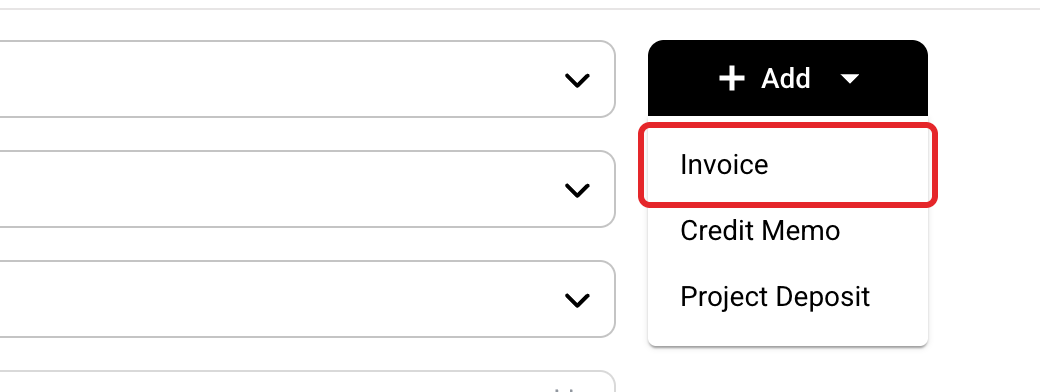
Click Invoices in the left menu, then Add, then Invoice.
Pick the project and date
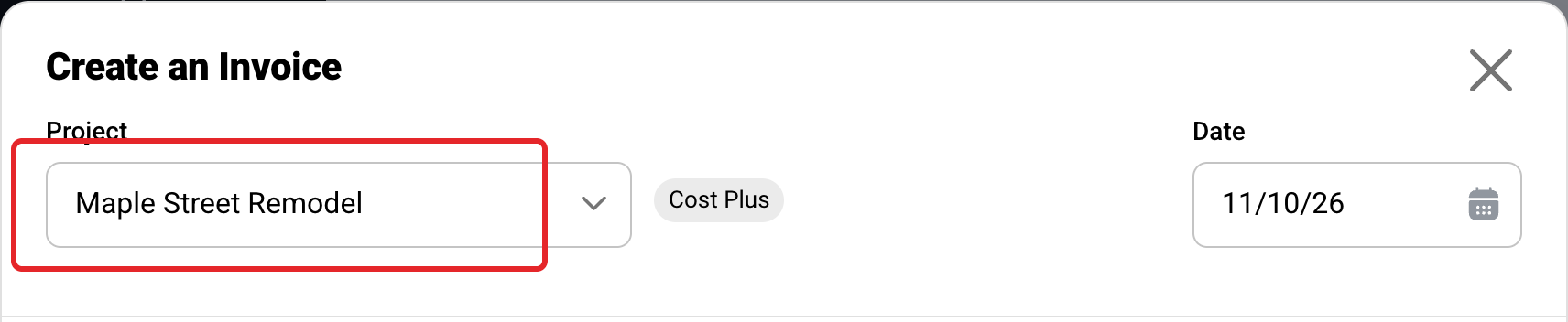
Pick the Project. Its contract type shows beside it, and the choices below follow it. The Date starts as today.
Cost Plus: bill your expenses
Pick the expenses
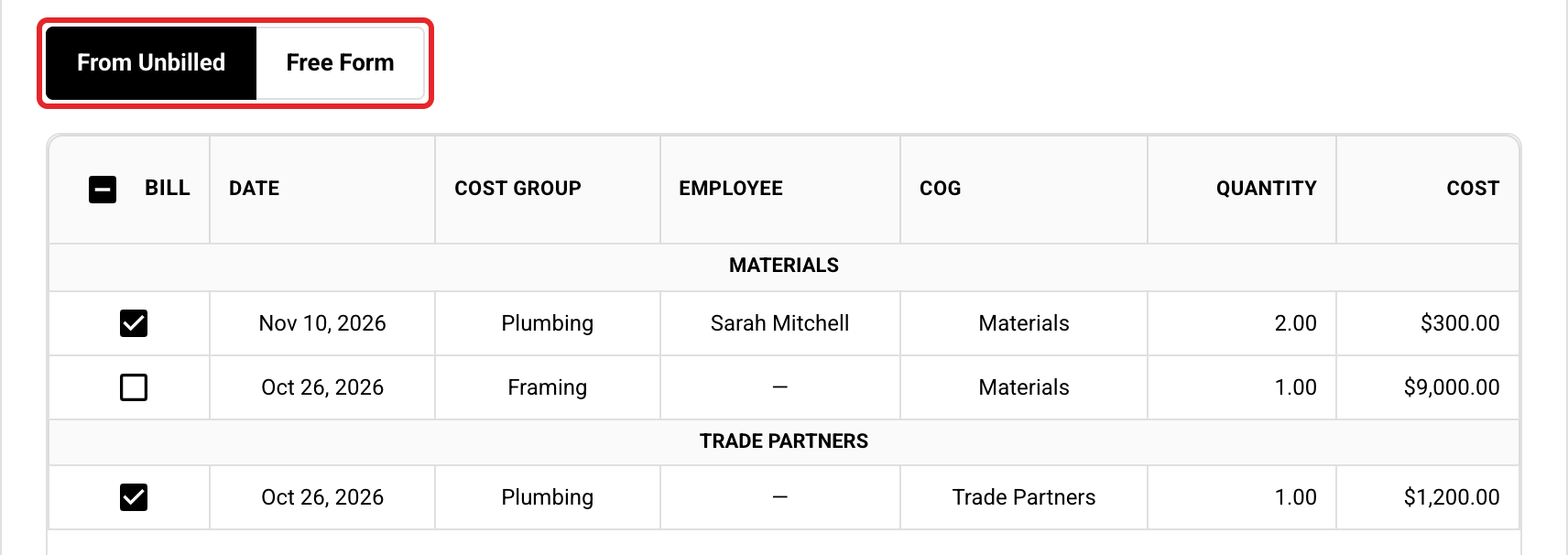
From Unbilled lists the project's expenses that aren't billed, aren't on another draft and aren't Unbillable. Tick the ones to bill, or tick the box at the top to pick every one. Free Form starts a blank invoice instead.
Click Create Invoice
The invoice opens as a Draft. Its expenses are held for this invoice so no other invoice can take them. Their Billed box is ticked when you release the invoice.

Fixed Cost: bill part of the contract
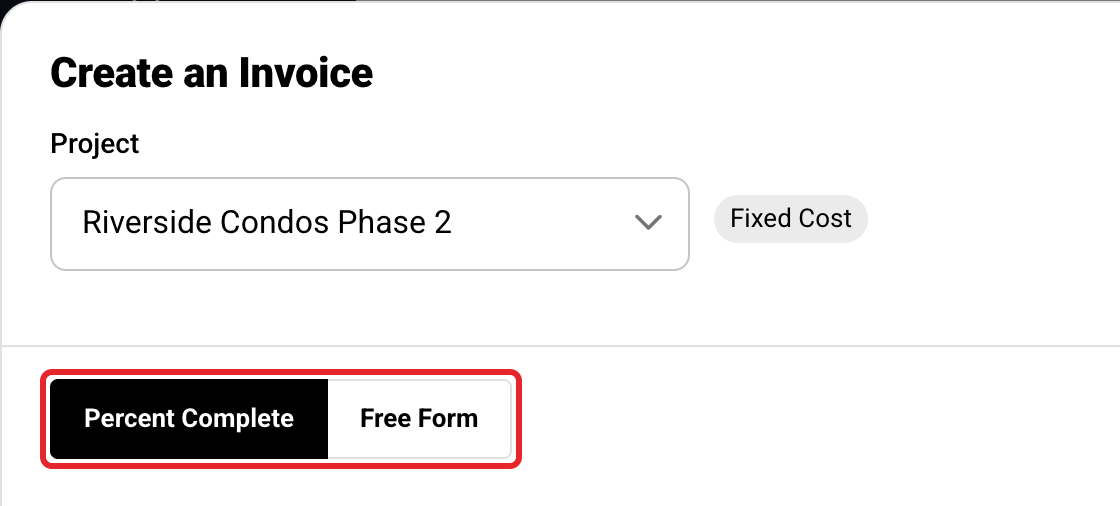
Pick Percent Complete
Percent Complete bills each cost group against its contract. It needs an approved estimate. Free Form starts a blank invoice instead.
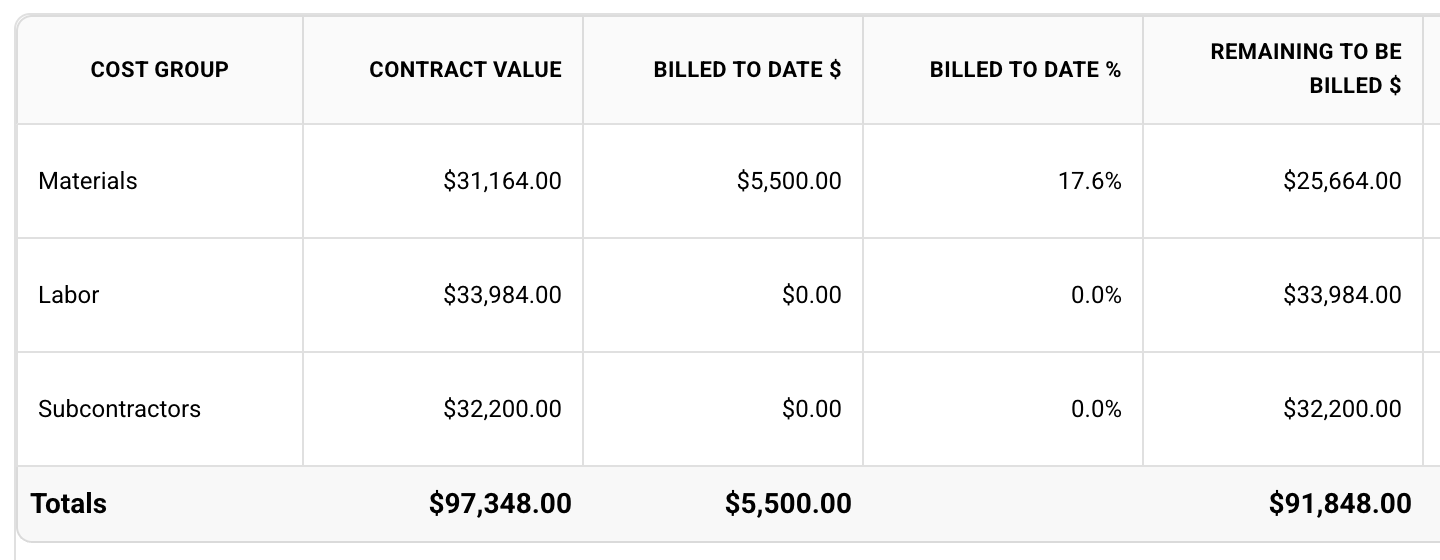
Read the cost groups
Each row shows what the cost group can still be billed.
Fill in what to bill
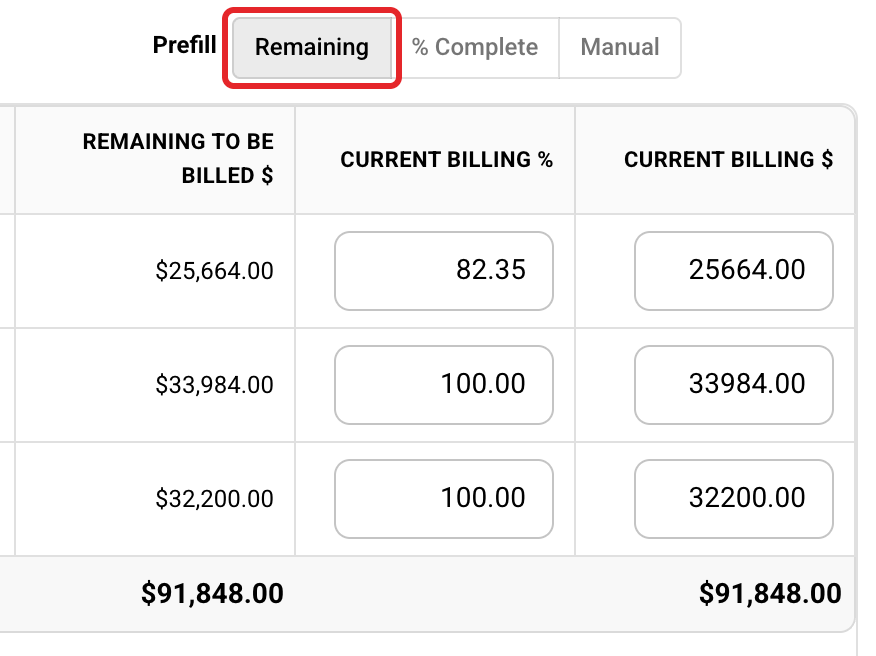
Use a Prefill button, or type in a row's Current Billing % or Current Billing $. Each choice gives a different result.
Result: Remaining bills everything left
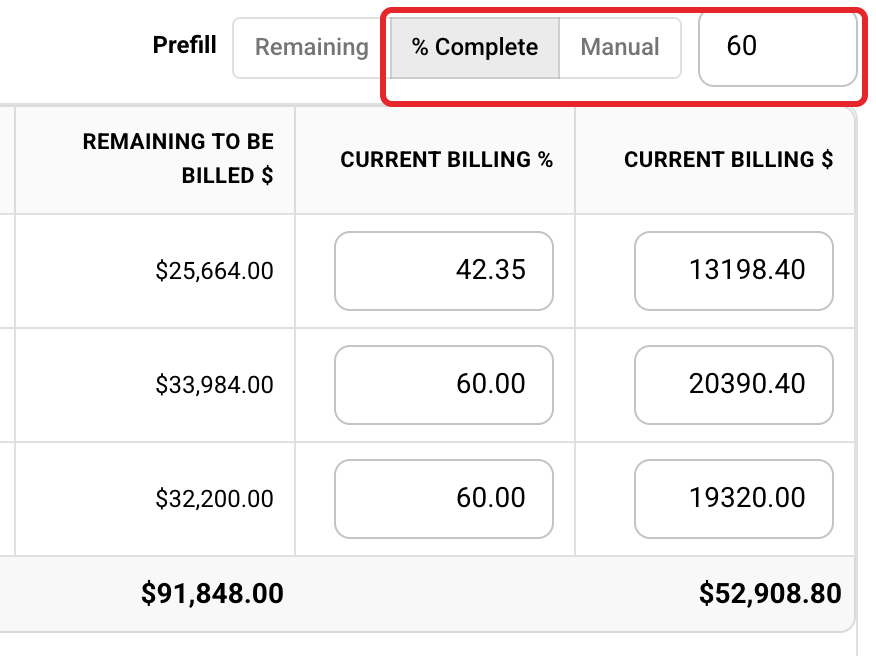
Result: % Complete 60 takes each cost group to 60% billed overall
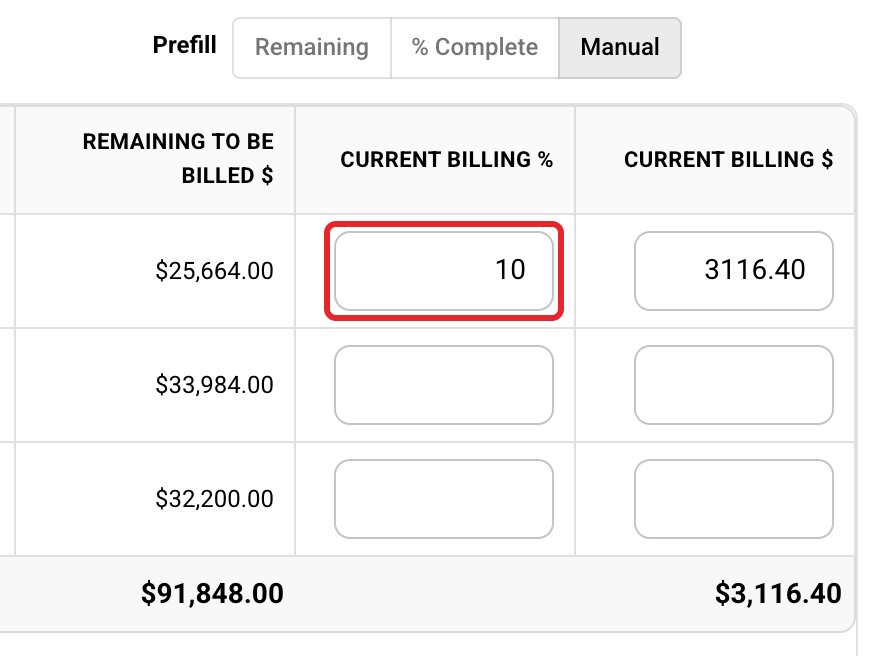
Result: typing 10 in a row bills 10% of that contract on this invoice
Click Create Invoice
Billing this invoice at the bottom shows the total. The invoice opens as a Draft.
What each column means
| Column | What it shows |
|---|---|
| Contract Value | The cost group on the approved estimate plus approved change orders. Markup is in, GST is not. |
| Billed to Date $ | What released invoices have billed it. |
| Billed to Date % | Billed to Date divided by Contract Value. |
| Remaining to Be Billed $ | Contract Value minus Billed to Date. |
| Current Billing % and $ | What this invoice bills. |
Here is how the three choices work out on Materials, with a Contract Value of $31,164.00 and $5,500.00 (17.6%) already billed.
| Choice | Math | This invoice bills |
|---|---|---|
| Remaining | $31,164.00 - $5,500.00 | $25,664.00 |
| % Complete 60 | $31,164.00 x 60% = $18,698.40, minus $5,500.00 | $13,198.40 |
| Current Billing % 10 | $31,164.00 x 10% | $3,116.40 |
Your first invoice
Before your company's first invoice, Buildwise asks for your starting invoice number. If you use QuickBooks, set it higher than your highest QuickBooks invoice number. It can't be changed once the first invoice exists.
You can't bill past the contract
A cost group can never be billed more than its Contract Value. If you type more, Buildwise lowers it to the most you can bill when you leave the box.
Due date
A new invoice takes the project's payment terms, or Due on receipt if it has none. The due date is the invoice date plus the terms, so Net 30 adds 30 days.
Tax
The invoice copies the project's tax rates when you create it. Changing the tax later doesn't change an invoice that already exists.
Who can do this
Owners and Administrators, on every project. Managers and Members only on projects where they have Invoicing Access.
Next, see Edit a Draft Invoice and Release and Send an Invoice.
If you have any questions or need support:
💬 Click the beacon on this page to chat with us
📩 Click the beacon on this page to email us