What Happens If I've Entered the Wrong Pay Rates?
If a pay rate is wrong, you can change it yourself from now on. Fixing time that's already logged takes our help.
Why the pay rate matters
A pay rate is the full cost to you of one hour of that person's work, not just their wage. It's called the fully burdened rate. Buildwise uses it to work out your labor cost and profit. On Cost Plus projects, it also uses each person's charge rate. See Team Member Pay and Charge Rates.
To work out a fully burdened rate, fill in the Labor Burden Worksheet. This walkthrough video shows how. Want us to check it? Click the round message button in the bottom-right corner of this page, then click Send a message and attach it.
Change a pay rate
Open the Members list
Click Settings at the bottom of the left sidebar and scroll to the Members list in the Team section.
Click their pay rate
Click the person's Pay Rate $ box. The Change Pay Rate window opens.
Enter the new rate
Type the new rate and click Save. The window shows the date it starts, the first day of your next pay period.
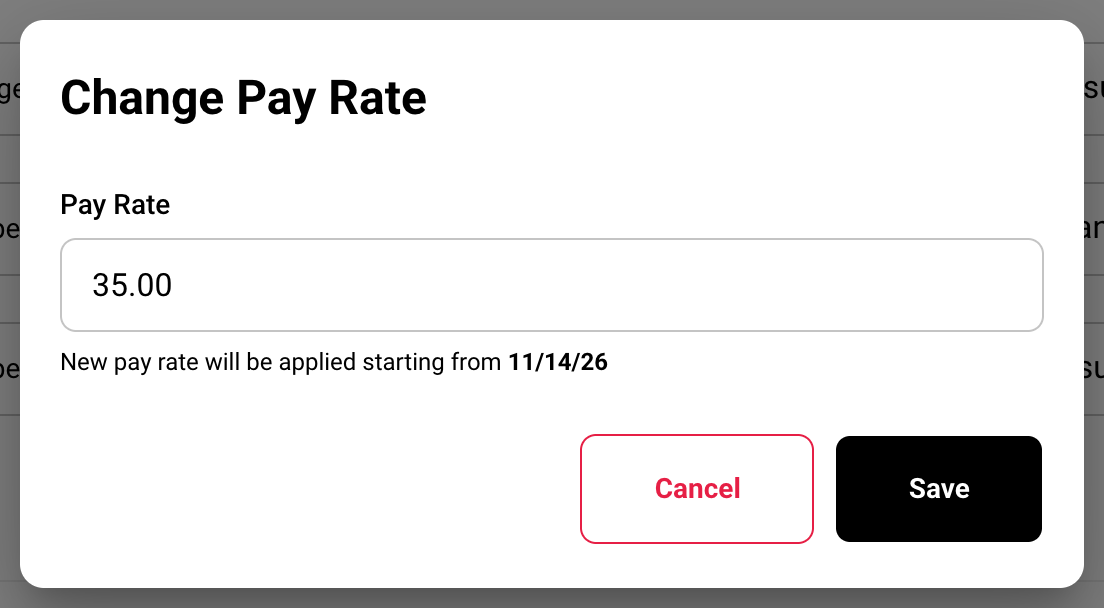
Time already logged keeps the old rate. Only time logged after the start date uses the new one.
Fix time that's already logged
If a rate was wrong from the start and past time needs the right rate, click the round message button in the bottom-right corner of this page, then click Send a message. Tell us the team members and their correct pay rates.
It changes all past labor
We apply the new rate to all of that person's past labor. We can't do it for only some dates or some projects.
💬 Have a question? Click the round message button in the bottom-right corner of this page, then click Send a message. We usually reply within a few hours.